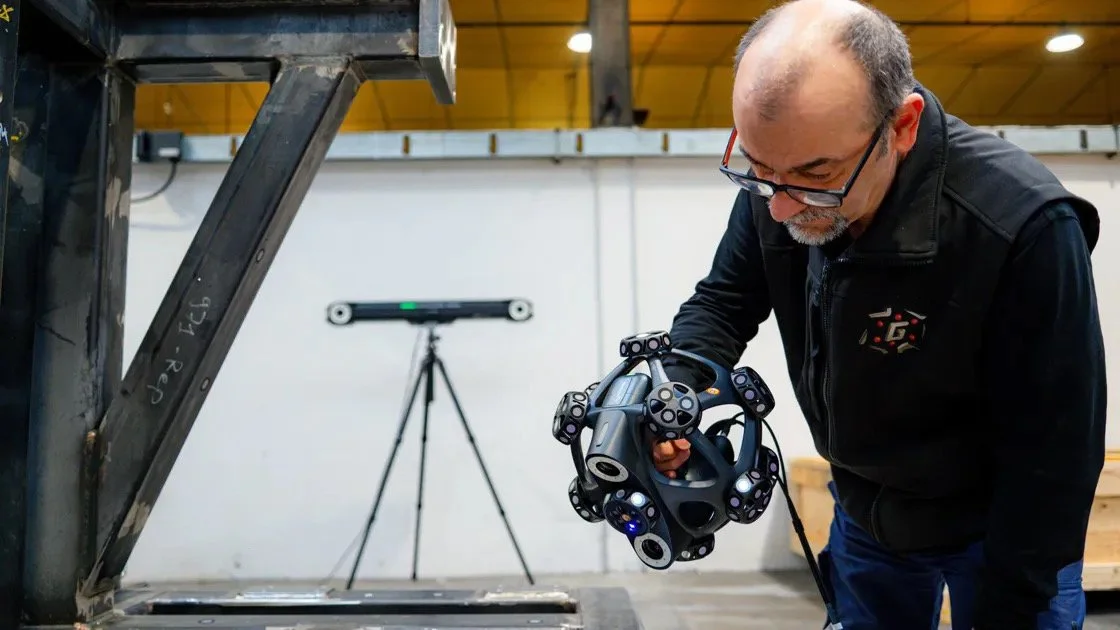
Metrology equipment supplier Hexagon has launched its Hyperscan portable 3D scanner designed for complex industrial environments.
The system delivers high-resolution scanning with speed, flexibility, and seamless integration for handheld and robotic inspection processes.
Hyperscan provides an instant high-resolution data stream without the need for operators to position reference targets, saving preparation time. Its Hole Flash Capture feature automatically detects holes during scanning, while advanced edge recognition ensures consistent performance across diverse materials.
The scanner meets VDI/VDE 2634-3 standards and is validated by an ISO 17025 accredited laboratory. With a 610 x 640mm scan area, it can capture components up to 7m in size with multi-mode flexibility, eliminating the need for multiple scanners.
Flexible and ergonomic design
Equipped with Wi-Fi 6/7 and a built-in battery, Hyperscan is suitable for use on production lines, in confined spaces, or for on-site operations. Optical tracking maintains accuracy even when the workpiece or operator moves, or in vibrating conditions.
A one-click transfer interface allows integration with metrology software such as PC-DMIS, Inspire, and SpatialAnalyzer. Hyperscan is automation-ready and compatible with industrial robots, cobots, rotary tables, and Hexagon’s Presto automated inspection cell solutions.
Aerospace applications
Hyperscan is designed for use in sectors including aerospace supporting both on-line inspections and the analysis of large or critical components. Two models are available: the Hyperscan Ultra with a 5.5m range, and the Hyperscan Super, which extends to 7m and captures up to 8.3 million points per second.
The system combines speed, accuracy, and versatility, offering manufacturers a robust tool to improve quality control and optimise industrial processes globally.